back
job position has been filled
No items found.
We’re testing new discounts in UK & DK, accessible via the receipt QR code. Please ensure auto-print receipts is enabled in JoePOS (Menu → Settings → Printer → “Disable – Print every time” = OFF)
We're testing new discounts for UK and DK. The discounts can only be retrieved by guests if they scan the QR code on the receipts. Therefore, ensure the "auto print receipts" on the JoePOS is activated by following the below instructions:
- Go to JoePOS menu
- Go to "Settings"
- Click "Printer"
- Make sure the "Disable - Print every time" isn't toggled on (see below on how it should look like:
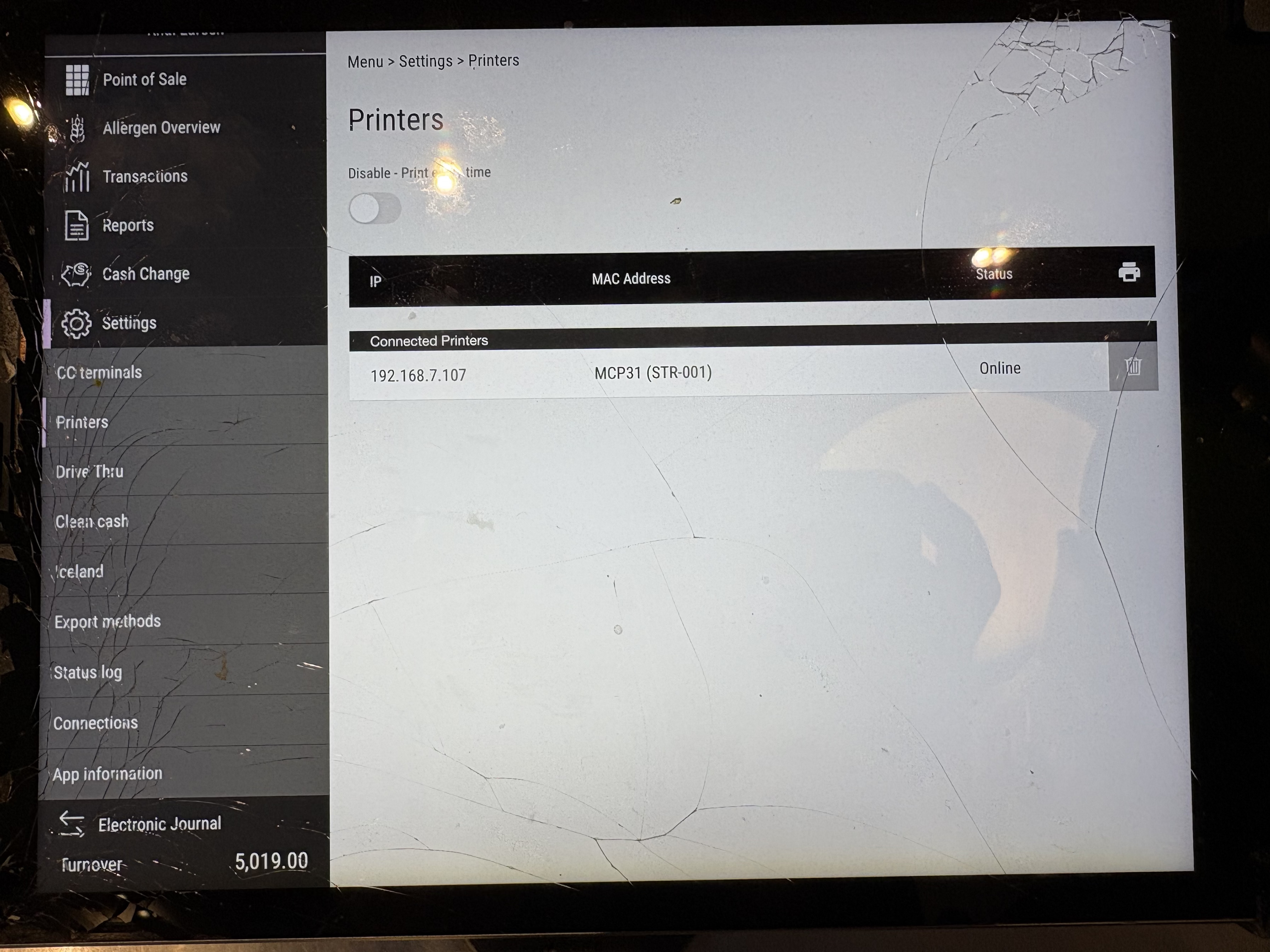
if you still experience issues with auto print receipts, please create a ticket -> https://helpdesk.joejuice.com/.
No items found.
Oops! Something went wrong...
